
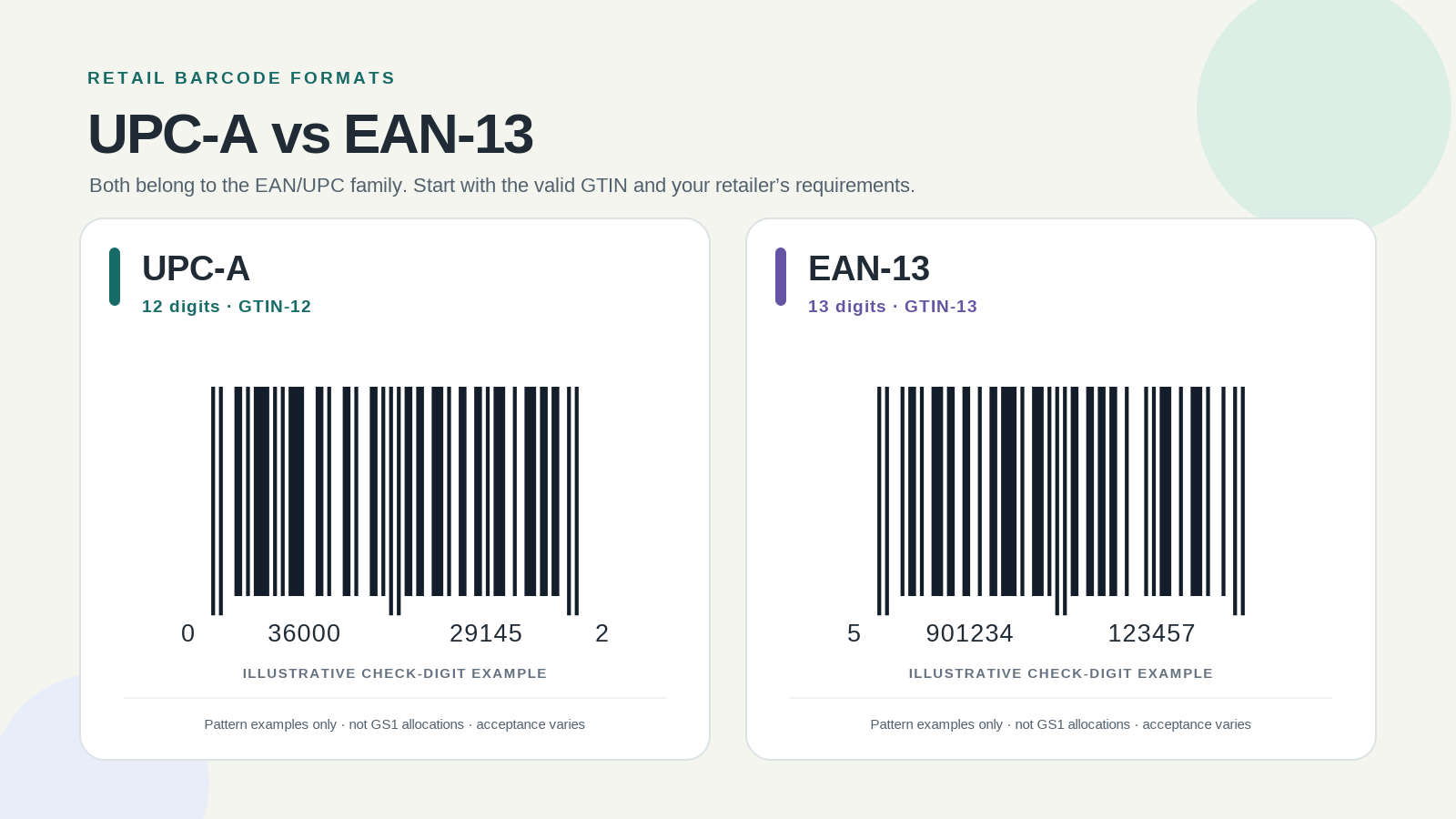
UPC-A and EAN-13 are both linear retail barcode formats used to carry Global Trade Item Numbers (GTINs). UPC-A carries a 12-digit GTIN-12; EAN-13 carries a 13-digit GTIN-13. UPC-A is commonly used for retail point of sale in North America, while EAN-13 is more common in many other markets. Both formats are used globally, so the right choice depends on the valid identifier you have and the requirements of the retailer, marketplace, packaging workflow, and scanners that must accept it.
UPC-A
UPC-A is the symbol used to encode a GTIN-12. The 12-digit number has a company prefix, an item reference, and a check digit under GS1 rules. GS1 describes GTIN-12 as predominantly used in North America for point-of-sale trade-item identification, while noting that GTINs are intended for global use.
EAN-13
EAN-13 is the symbol used to encode a GTIN-13. It has 13 digits and follows the corresponding GS1 identification rules. GS1 describes GTIN-13 as predominantly used outside North America for point-of-sale identification. That common pattern is not an exclusive country rule: a GTIN and its symbol can be used across borders when accepted by the relevant trading partners and retail systems.
Which one should you use?
Start with the identifier and the requirements for the product, rather than choosing a bar pattern by appearance.
- If you already have a valid GTIN-12 intended for UPC-A, use UPC-A where your retailer or partner requires or accepts it.
- If you have a valid GTIN-13 intended for EAN-13, use EAN-13 where your retailer or partner requires or accepts it.
- Before printing, check the retailer’s current onboarding and barcode specifications, the target market, packaging level, and the scanners or point-of-sale systems involved.
- Do not assume adding or removing a leading zero converts one assigned GTIN type into another. Follow GS1’s representation rules and the partner’s requirements.
- Do not read a GS1 prefix as proof of where the product was manufactured. GS1 says its prefix identifies the GS1 Member Organisation that allocated the prefix, not the country of origin.
Retail systems and trading partners set their own operational requirements. A valid GS1 number and an image that scans correctly are important, but this comparison cannot guarantee acceptance by a particular retailer or marketplace. Check the current requirements for each sales channel.
Who assigns the number?
A barcode image and a product identifier are different things. A barcode generator turns input data into a symbol; that does not grant a unique retail identifier.
For GS1 identifiers, the brand owner obtains or uses a GS1 Company Prefix or other GS1 allocation through the appropriate GS1 Member Organisation, then assigns item references under GS1 rules. The check digit is calculated from the preceding digits. GS1 explains that GTIN-12 and GTIN-13 are composed of the relevant company prefix, an item reference, and a check digit. Keep the assigned number and product record aligned with the product variant and packaging level.
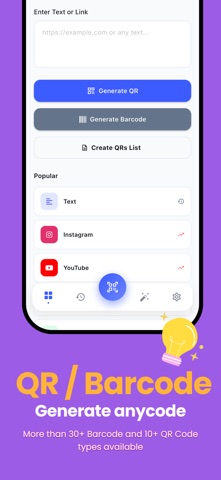
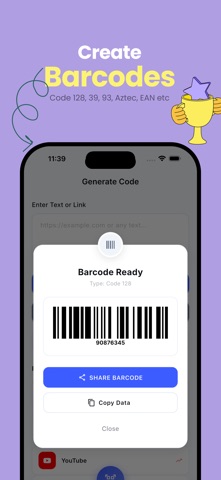
The current QR Pulse App Store listing says the app can generate barcode formats including UPC and EAN-13. That is a publisher-provided format claim; it does not say QR Pulse assigns GTINs, verifies a number against GS1 records, or guarantees retailer acceptance. Use a number you are entitled to encode and confirm all requirements with GS1 and your trading partners.
The listing includes an iPhone screen with a Generate Barcode control and another showing a barcode result labeled Type: Code 128. These authentic store screenshots illustrate QR Pulse's general barcode workflow, but they do not show UPC-A or EAN-13 format choices or results. The UPC-A and EAN-13 patterns in the hero are separate illustrative diagrams, not QR Pulse screens.
Avoid this common mix-up
The first digits of a barcode do not tell shoppers where the item was made. A GS1 prefix reflects the member organisation that allocated the prefix. A company can have products manufactured in another country. Use a separate, properly sourced country-of-origin label or product record for origin information.
Frequently asked questions
Is UPC-A only for the United States?
No. UPC-A is commonly used for retail point of sale in North America, but GS1 GTINs are designed for global use. Check the target retailer’s and market’s current specifications before choosing a symbol.
Is EAN-13 the same as GTIN-13?
They are related but not identical terms. GTIN-13 is the 13-digit GS1 identification key; EAN-13 is a barcode symbology that carries that GTIN.
Can I turn any 12-digit number into a valid UPC-A?
No. A generated symbol does not assign a globally unique product identifier. Use an identifier allocated to the product through the applicable GS1 process, follow the standards for the item reference and check digit, and confirm retailer requirements.
Does a barcode prefix show where a product was made?
No. GS1 explicitly says the prefix does not identify the product’s country of origin.
Can QR Pulse provide a retail UPC or guarantee acceptance?
The current App Store listing says QR Pulse can generate UPC and EAN-13 barcode formats. It does not establish identifier assignment, GS1 verification, or retailer acceptance. Obtain the correct identifier separately and follow the retailer’s current rules.
Sources
- GS1 US: EAN numbers and UPCs — what is the difference? — comparison and GTIN structures.
- GS1 US: What is a GTIN? — GTIN-12/GTIN-13 uses and distinctions.
- GS1 GO: commonly used barcodes for trade-item identification — company prefix, item reference, and check digit.
- GS1 GO: Who is responsible for numbering trade items? — brand-owner responsibility.
- GS1 GO: Does the GS1 Prefix show country of origin? — prefix is not country-of-origin evidence.
- GS1 General Specifications – current reference for EAN/UPC symbol structure, guard patterns, and check digits.
- QR Pulse on the Apple App Store — publisher-provided barcode format description.
- QR Codes for Small Business — broad guide; this article focuses on retail product identifiers.
- QR Pulse product page — product context and store links.